
Pro PaintOps vs. Jobber vs. PaintScout: Which software fits your painting business?
Compare trade-specific estimating, daily operations, team access, job costing, and pricing before moving your painting company into a new system.
Quick summary
Jobber: a broad field-service system for businesses that prioritize dispatching, scheduling, client communication, and billing across service trades.
PaintScout: a painting-focused estimating and proposal platform for sales teams that prioritize building detailed quotes in the field.
Pro PaintOps: a painting-specific operating system combining estimates, proposals, CRM, scheduling, follow-ups, job costing, invoicing, and field-team access.
Executive comparison
The best choice depends on whether you need a general field-service platform, a proposal-focused estimator, or one connected workflow built around painting work.
| Feature | Pro PaintOps | Jobber | PaintScout |
|---|---|---|---|
| Primary fit | Painting contractors | General field-service businesses | Painting estimators and sales teams |
| Estimating approach | Painting-specific surfaces, coats, labor, and materials | General quotes and line items | Painting-focused proposal builder |
| Operations | CRM, proposals, scheduling, job costing, and invoices | Broad scheduling, dispatching, and billing | Primarily estimating and proposals |
| Team access | Plan limits apply to Admin/PM seats; crew and subcontractor seats included | Depends on the selected Jobber plan | Depends on the selected PaintScout plan |
| Customer import | CSV client import in Settings | Import tools vary by plan and workflow | Confirm current migration options |
Capture rooms, surfaces, trim, doors, prep, and coats.
Calculate labor hours, material quantities, and the proposal.
Schedule crews, track actual costs, and invoice the work.
Jobber
Jobber serves many home-service industries. Its broad workflow can fit companies that need general scheduling, dispatching, client communication, and billing more than painting-specific production calculations.
Where it fits
- • Broad field-service scheduling and administrative workflows
- • Client communication and payment tools
- • Useful for companies operating across multiple service trades
What to verify
- • Confirm how the plan you need handles users and permissions
- • Painting measurements, coats, surfaces, and production rates may require more setup
- • Compare the estimating workflow against a real painting project before buying
A credible fit for general home-service operations. Painting contractors should specifically test how much manual setup is required to turn field measurements into labor, material, and proposal totals.
PaintScout
PaintScout focuses on painting estimates and customer-facing proposals. That makes it relevant for contractors whose highest priority is the sales presentation and field-estimating experience.
Where it fits
- • Painting-focused estimate and proposal workflow
- • Designed for estimators working in the field
- • Detailed customer-facing presentation tools
What to verify
- • Confirm current per-user pricing directly with PaintScout
- • Evaluate how much of scheduling, job costing, invoicing, and operations stays in another system
- • Test access needs for office staff, project managers, and field leaders
A strong product to evaluate for dedicated sales and estimating teams. Contractors seeking one system from lead through job completion should compare the operational workflow beyond the proposal.
Pro PaintOps
Pro PaintOps connects painting-specific estimating to the rest of the job lifecycle: CRM, proposals, scheduling, customer follow-up, field access, job costing, change orders, invoicing, and integrations.
Where it fits
- • Surface, coat, labor-hour, material, and production-rate inputs for painting work
- • Quoted-versus-actual tracking for labor and materials
- • Crew and subcontractor seats included; Admin/PM capacity scales by plan
- • CSV client import plus QuickBooks, CompanyCam, Twilio, and Stripe workflows
What to verify
- • It is purpose-built for painting rather than every service trade
- • Admin/PM seat limits still vary by paid plan
- • Teams should configure their own production rates and pricing before relying on estimates
Best aligned with painting contractors who want estimating and operations in one system, while still giving field crews access without charging for each crew or subcontractor seat.
Feature deep dive: painting estimates
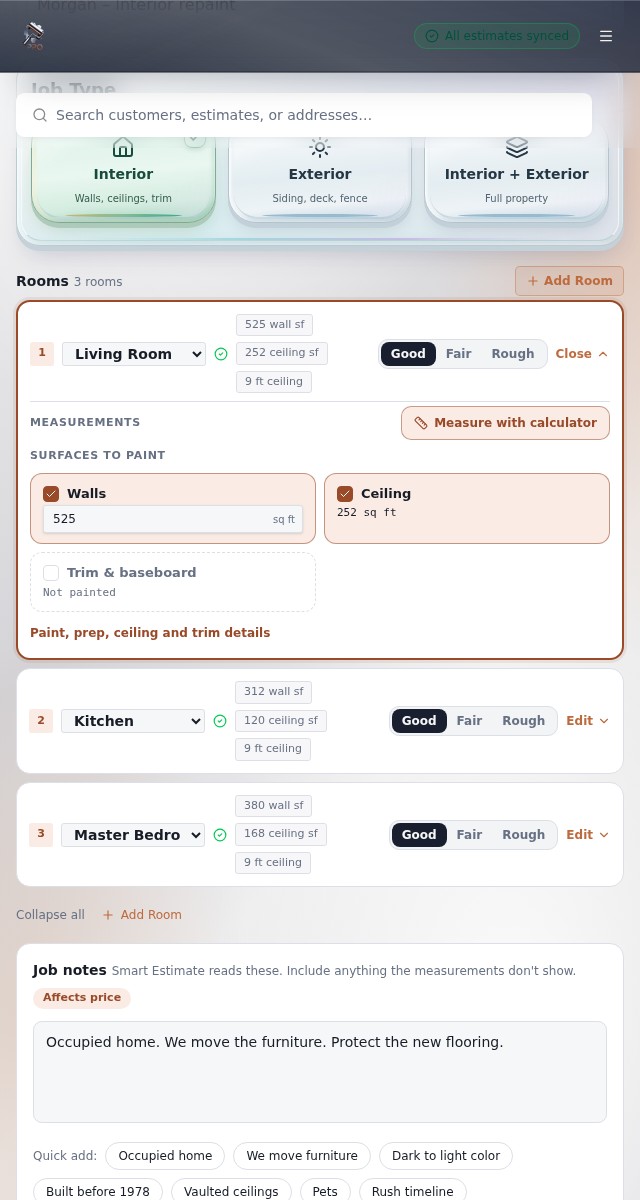
A three-room interior project exposes the difference between a generic quote tool and a painting-specific estimator. The estimator must account for room dimensions, wall and ceiling areas, trim, doors, surface conditions, paint products, coats, labor rates, and production assumptions.
Pro PaintOps is designed to turn those painting inputs into labor hours, material quantities, and pricing. When comparing alternatives, build the same real project in each platform and count the manual calculations and duplicate data entry required.
Feature deep dive: team access and pricing
Pro PaintOps prices paid plans by Admin/Project Manager capacity rather than charging for every field worker. Crew and subcontractor seats are included for schedule and job access.
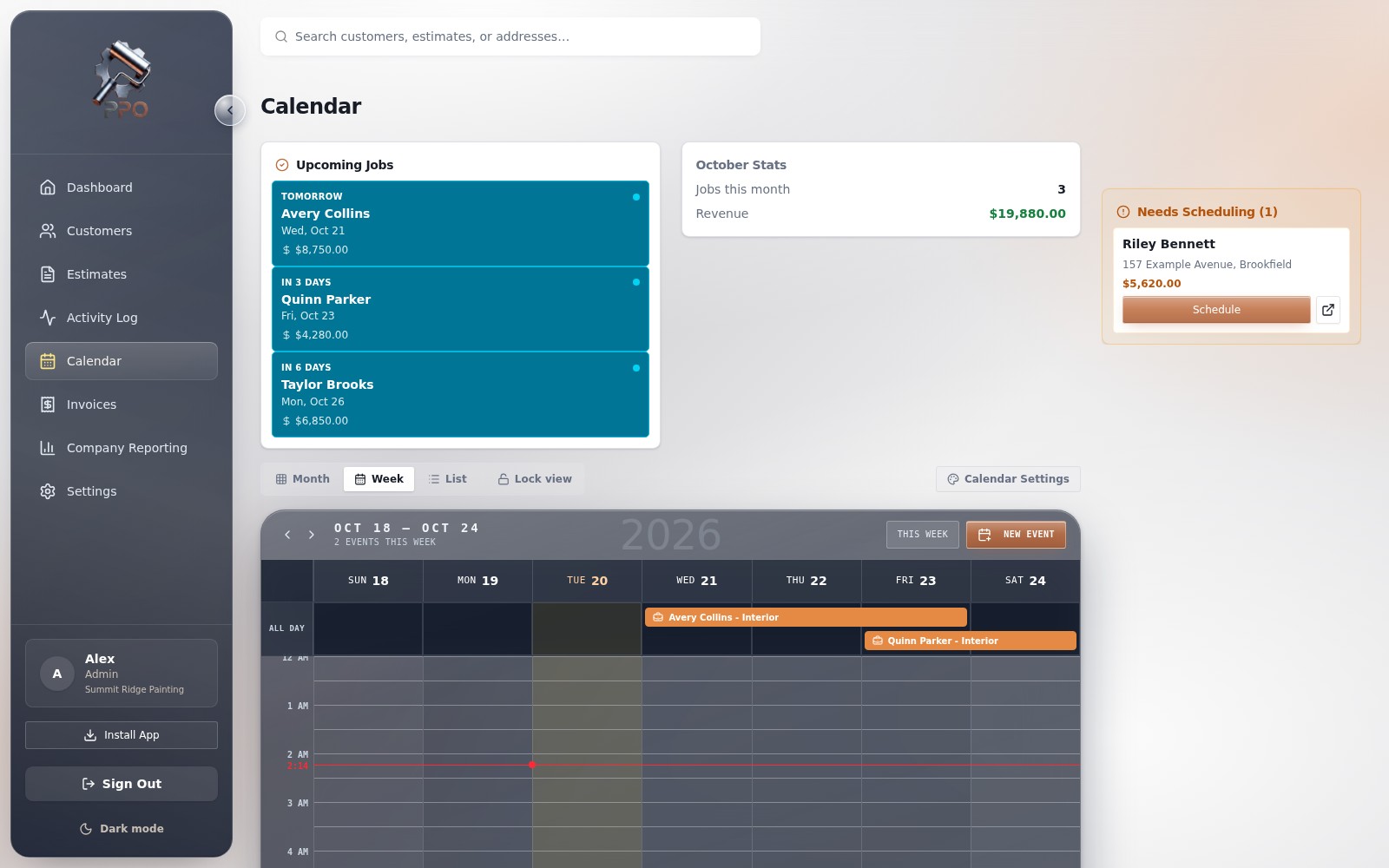
Competitor plans and prices change. Verify the current Jobber and PaintScout packages directly before making a purchase decision.
Feature deep dive: job costing
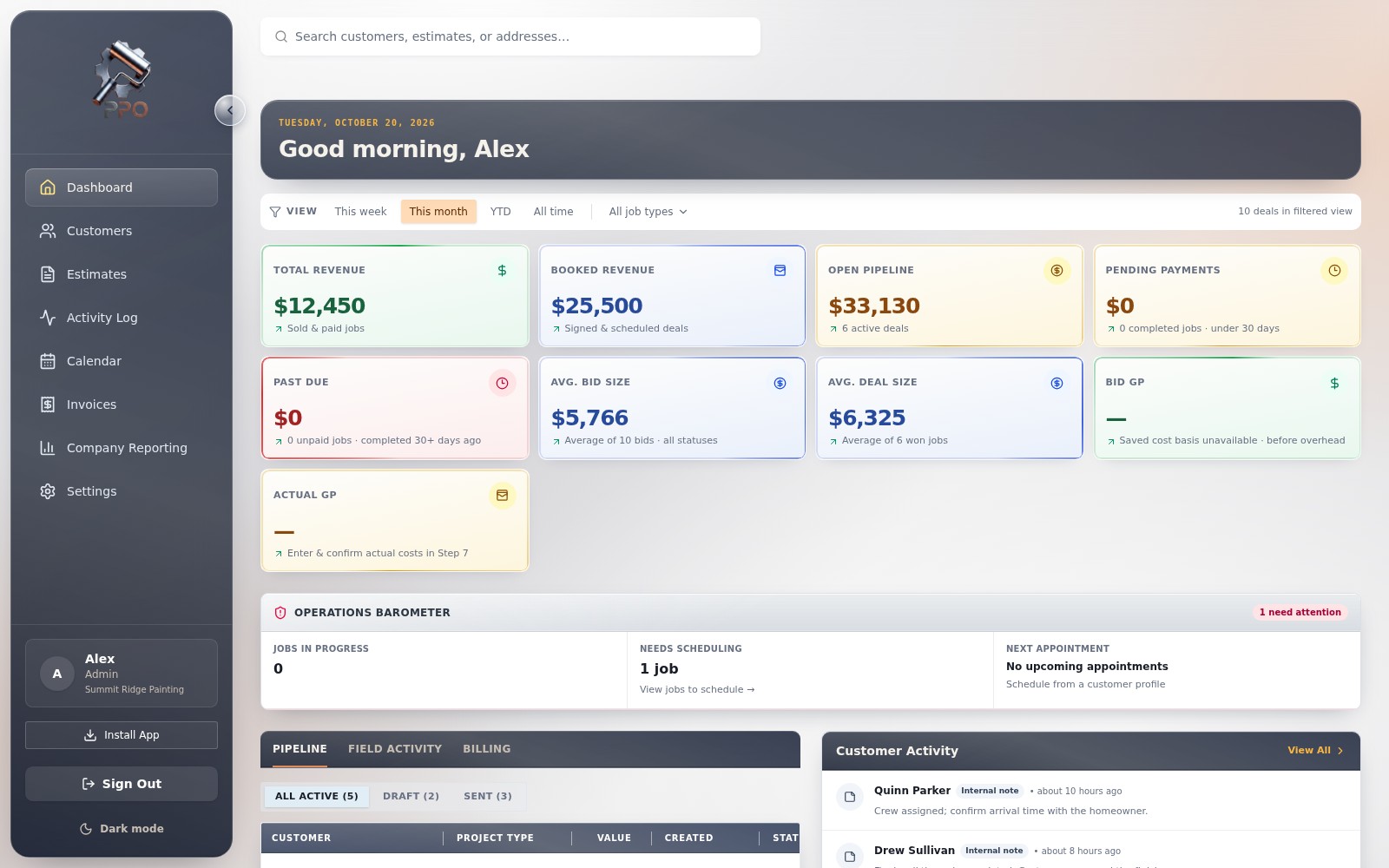
Estimates only protect margin when the team can compare the original target with actual labor and materials. Pro PaintOps connects time entries, material receipts, change orders, and job financials to the estimate baseline so management can identify slippage while the job is active.
When comparing systems, ask whether job-cost information is available during production, what field users must enter, and whether profitability requires exporting data into another tool.
Frequently asked questions
Can I import my existing customer list into Pro PaintOps?
Yes. The Settings page includes a CSV importer for client names, phone numbers, email addresses, physical addresses, categories, and notes. It validates rows and skips matching existing clients.
Is Jobber or PaintScout better for a solo painter?
Jobber is a broader field-service platform, while PaintScout is more focused on estimating and proposals. A solo painter who wants painting-specific estimating plus CRM and operations in one system should also compare Pro PaintOps Starter.
Does Pro PaintOps work on mobile devices in the field?
Yes. Pro PaintOps is responsive on phones and tablets and can be installed from a supported browser as an app-like shortcut. It is a web app rather than a separate native iOS or Android download.
Final verdict
Choose Jobber when broad field-service administration matters more than a painting-native estimate. Choose PaintScout when the proposal and estimator experience is the center of your workflow. Choose Pro PaintOps when you want painting estimates connected to CRM, scheduling, follow-up, job costing, invoicing, and field access.
The safest evaluation is practical: build one real estimate, schedule it, assign the team, record actual costs, and generate the invoice. The system that requires the least duplicate work while preserving your margin is the better fit.
Try Pro PaintOps with a real project.
Contact ProPaintOps for exclusive access to the platform and talk through your estimating and operations workflow.
Request exclusive access